For macOS · runs on your coding agent
Boring site in.
Landing page out.
Paste a site. Sheen measures it, your coding agent rebuilds it as a real landing page, and Sheen measures it again before you get a preview link.

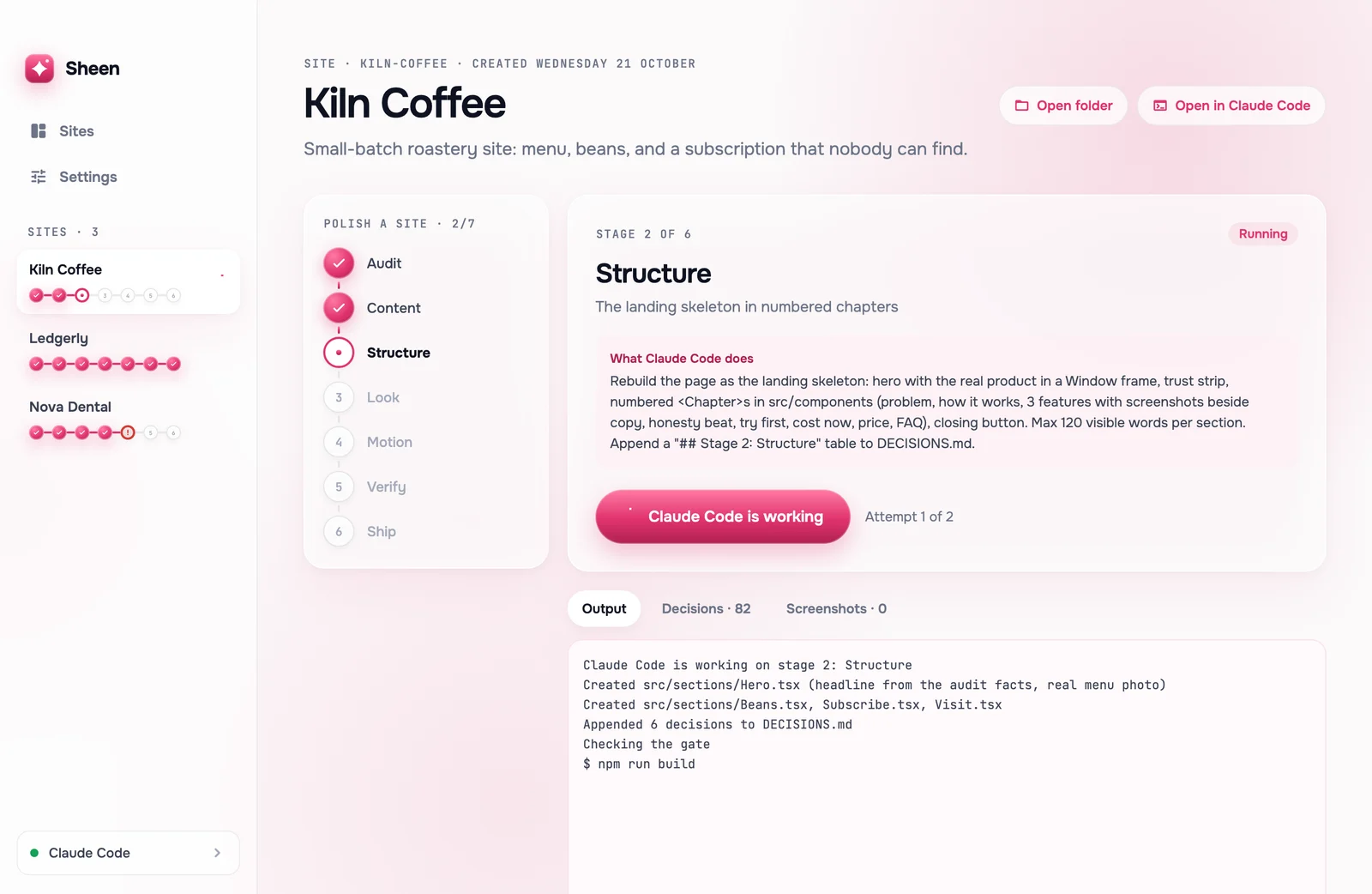
Real Sheen screens with sample sites
Works withClaude CodeCodex CLIGemini CLIQwen CodeopencodeCursor AgentGitHub Copilot CLI
01 · What it costs you now
Your site reads like a document.
Scroll. Leave.
Most product sites fail the same few checks:
- ✕A headline that takes a paragraph to say what you sell.
- ✕No real product on the first screen, and the price before the reason to pay it.
- ✕Walls of text, and nothing moves when you scroll.
02 · How it works
Seven stages. A check after each one.
Stage 0
Audit
The current site measured on 12 checks, with screenshots
Stage 1
Content
Every true fact and at least 3 real screenshots
Stage 2
Structure
The landing skeleton in numbered chapters
Stage 3
Look
Your brand colour on the house design system
Stage 4
Motion
Scroll reveals, 3D buttons, hover details
Stage 5
Verify
All gates pass and the audit runs again
Stage 6
Ship
A Firebase preview link and a report
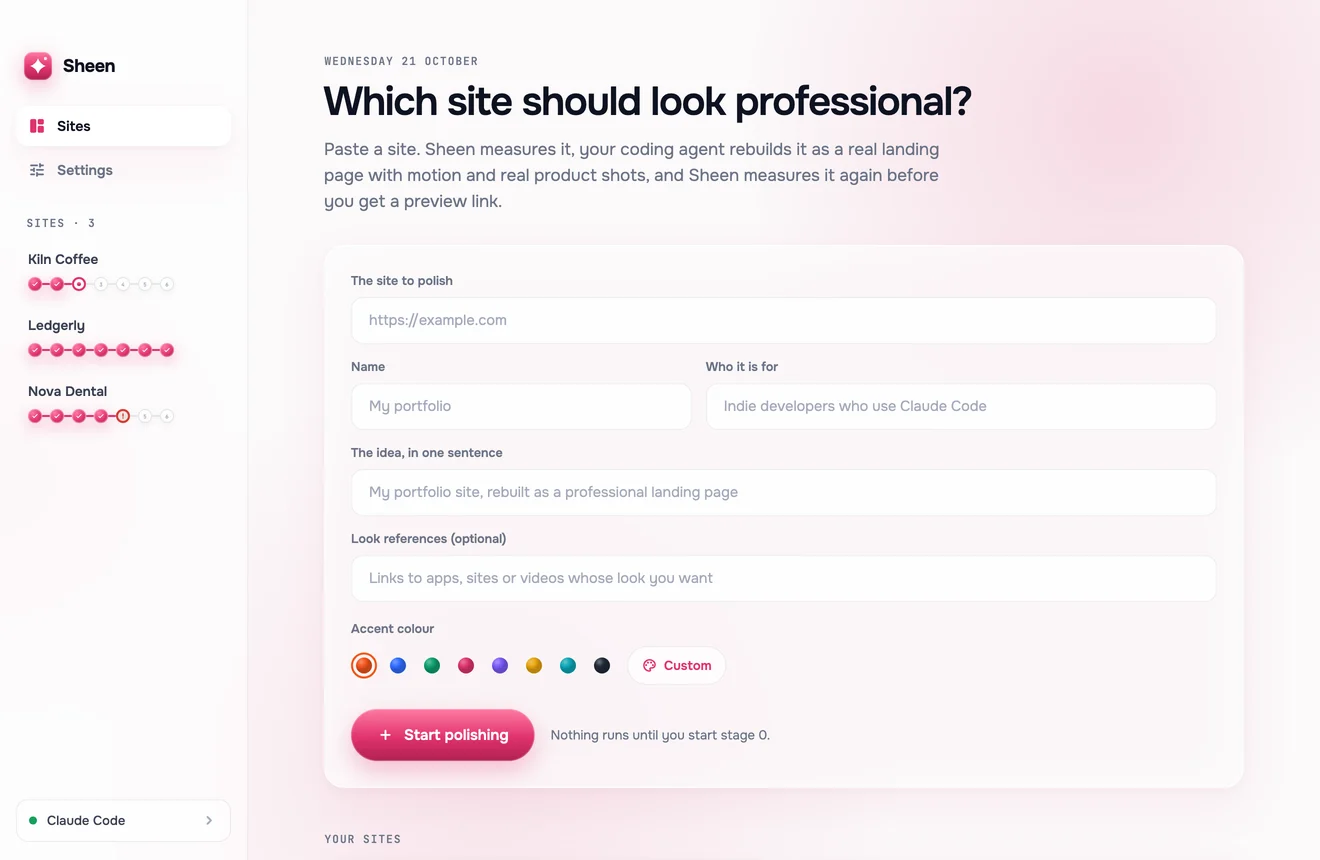
Paste the address. Pick a colour.
- 01Sheen audits the live site first.
- 02Your agent writes; Sheen runs every check.
- 03Pause after any stage.
03 · Before and after
Same audit. 4 of 12, then 12 of 12.
The Pulsar site, before and after its rebuild with this pipeline. Both audited on 21 October 2026.
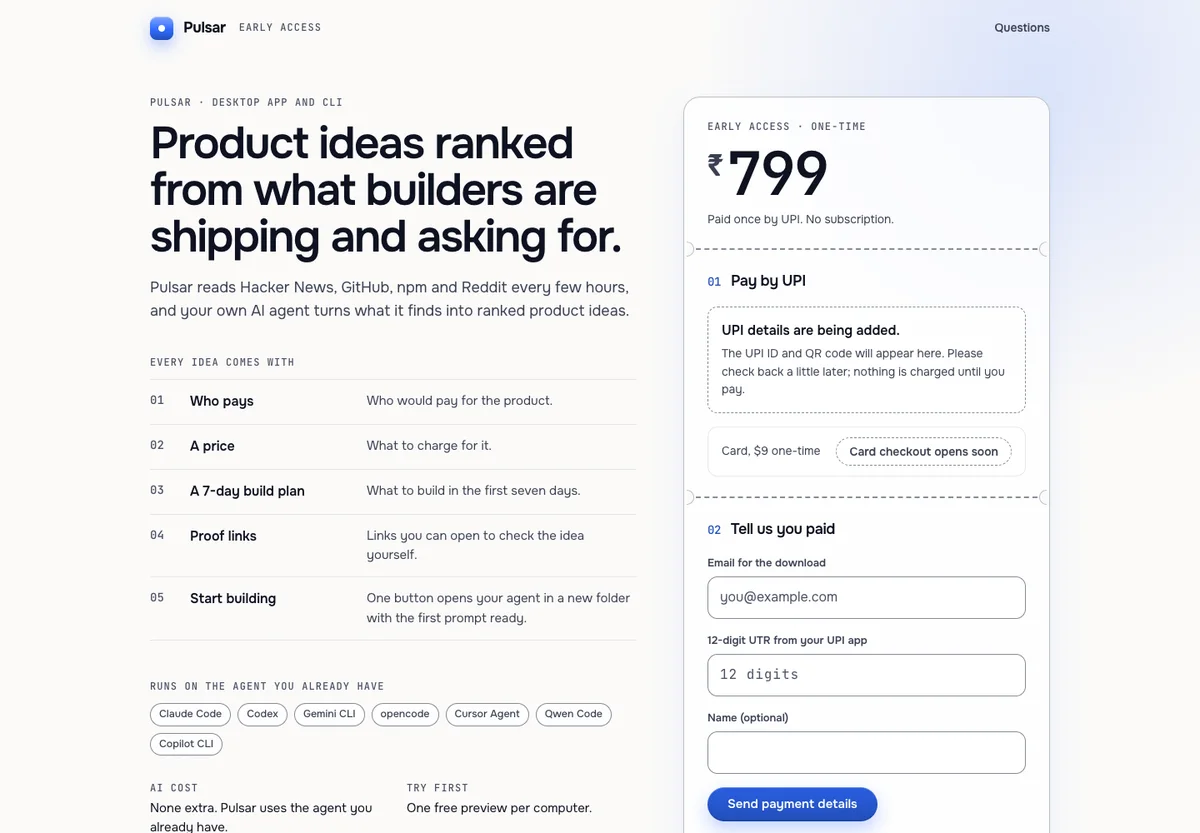

- Headline cut to 6 words
- The real app fills 29% of the first screen
- Price moved out of the hero
- 6 product images
- 20 hover details
- 55 elements reveal on scroll
04 · The checks
Your agent can't talk past a gate.
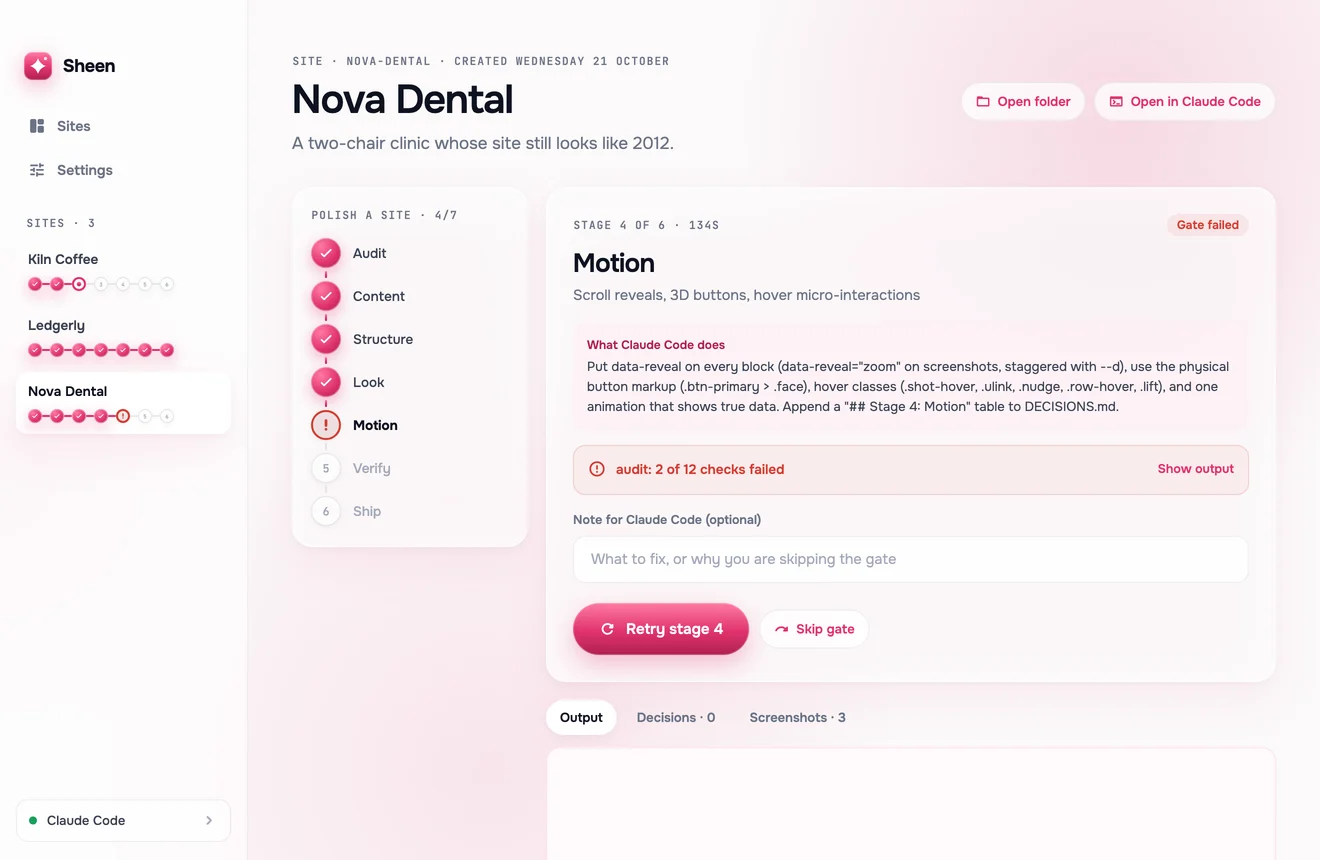
"Done" is decided in code.
- 01The page builds, every stage.
- 02Numbered chapters, 120 words at most each.
- 03Text contrast at AAA, measured in a real browser at phone and desktop width.
- 04Nothing stays hidden when a reader scrolls.
- 05The new page scores at least 11 of 12 on the audit.
05 · Your agent
It writes. Sheen checks. No extra AI bill.
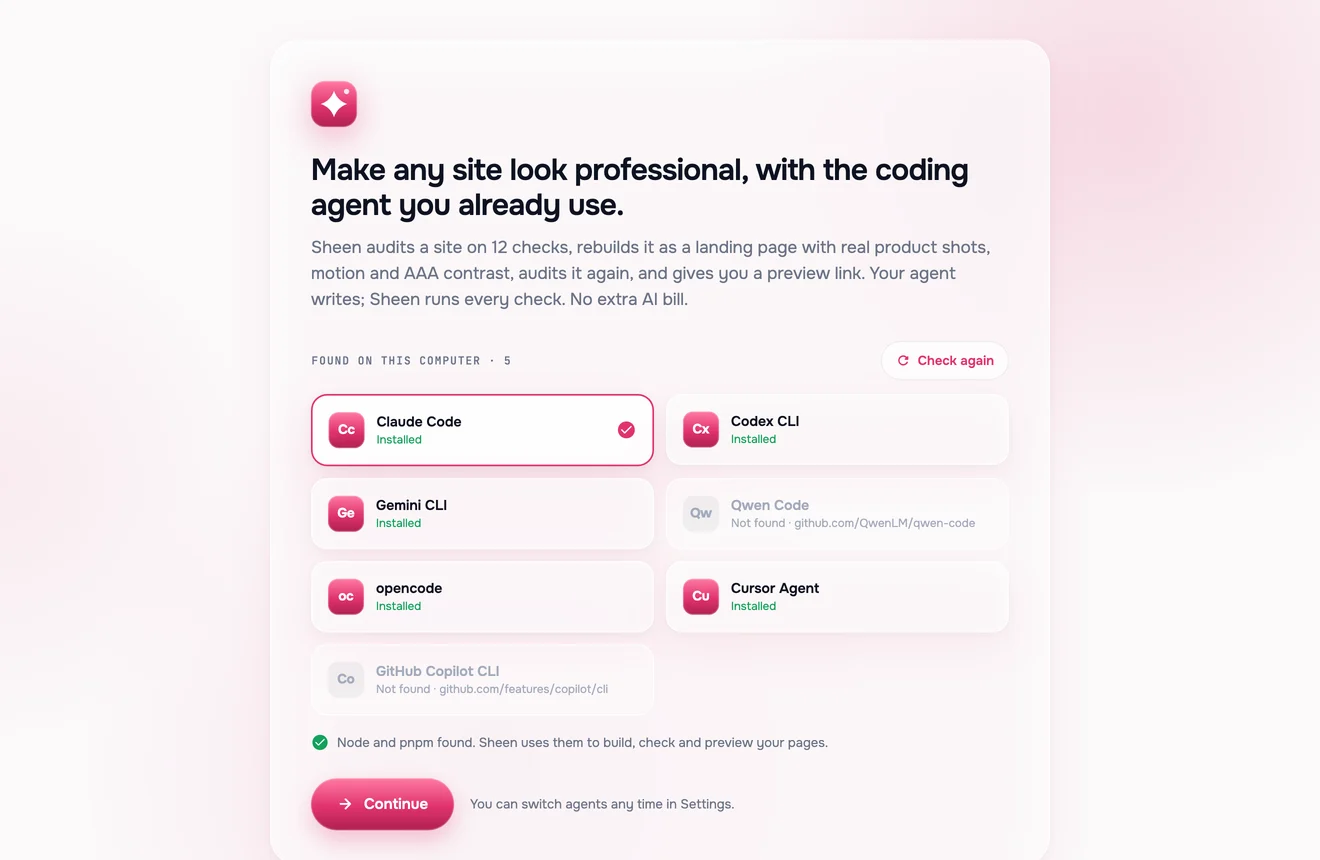
Seven terminal agents, found for you.
- 01Sheen finds the agents already installed and checks Node.js and pnpm.
- 02Switch agents any time in Settings.
- 03Your agent's own plan pays for the writing. Sheen adds no AI cost.
06 · What it touches
One folder. Your live site stays put.
opencode has no edit-only mode, so with opencode the agent can also run shell commands in the site's folder.
07 · Price
One price. Yours to keep.
Sheen for Mac · one-time
Paid once by UPI. No subscription.
- The Sheen app for macOS
- Seven checked stages per site
- A 12-check audit, before and after
No free trial. No subscription.
08 · Questions
The questions people ask first.
Which coding agents does Sheen work with?
Claude Code, Codex CLI, Gemini CLI, Qwen Code, opencode, Cursor Agent and GitHub Copilot CLI. Sheen finds the ones installed on your Mac, and you can switch any time in Settings.
Do I pay for AI on top?
No. Sheen runs on the coding agent you already have, so there is no extra AI bill from Sheen.
Does it change my live site?
No. Sheen rebuilds the page in a new folder, ~/Sheen/<site>/, and gives you a Firebase preview link. Putting it live is your decision.
What do I need on my Mac?
macOS, Node.js and pnpm, one of the coding agents above, and the Firebase CLI signed in for the preview link.
What happens when a stage fails?
The gate stops the line and Sheen sends the exact error back to your agent. You can also retry with a note, or skip the gate.
Is there a free trial or a subscription?
Neither. Sheen is one payment: ₹1,499 by UPI in India or $19 by PayPal elsewhere.
09 · Start
Polish your first site with Sheen.
Pay once, send the screenshot on WhatsApp, and Shashwat sends you the Mac app. Then paste your site.